2. ground textures
Right now our terrain looks boring, let’s change it. We will be utilizing shaders for this.
Main Goals For this Shader.
Section titled “Main Goals For this Shader.”Biome implementation
Section titled “Biome implementation”Ground in read world looks different in different places. In the high mountains there in only ice and snow, in Europe you mainly have beautiful grassy terrain and a lot of trees. We can achieve this diversity in a couple different ways:
Reading biome data from a texture
Section titled “Reading biome data from a texture”This is the most versatile approach, so I will be using it in this project. It allows you to easily generate biomes with different structures and vegetation, by just once generating a pseudo random texture saying what kind of biome this is.
Generating biomes by reading the height of the current mesh
Section titled “Generating biomes by reading the height of the current mesh”You can just read at what height the current mesh is, and than just say that at eg. 1000m this is a mountain - rocks / snow and at eg. 100 m this is a dessert. This is not as versatile because
We need to create shader that will allow for easy blending between biomes. It
also has to allow for setting separate roughness, normal map and albedo textures
for each of the biomes. Why those 3? Because I think that they are the most
important, but you might use different set of textures(or more than 3).
It Also has to allow for sampling textures so that they don`t look like
repeating, because it kills all of the immersion. Rendering texture of rocks on
steep hills will alos be a great addintion. And of course the most important
thing is utilization of allot of noise textures to modify different parameters
so our terrain looks more ‘true’. The main thing that the noise will modify will
be offsetting the sampling point(UV) of biome map to make transitions between
different biomes look more authentic.
Implementation
Section titled “Implementation”So let’s start by setting material on the ground mesh to be a shader material. Now create a gdshader and drag it onto the shader material.
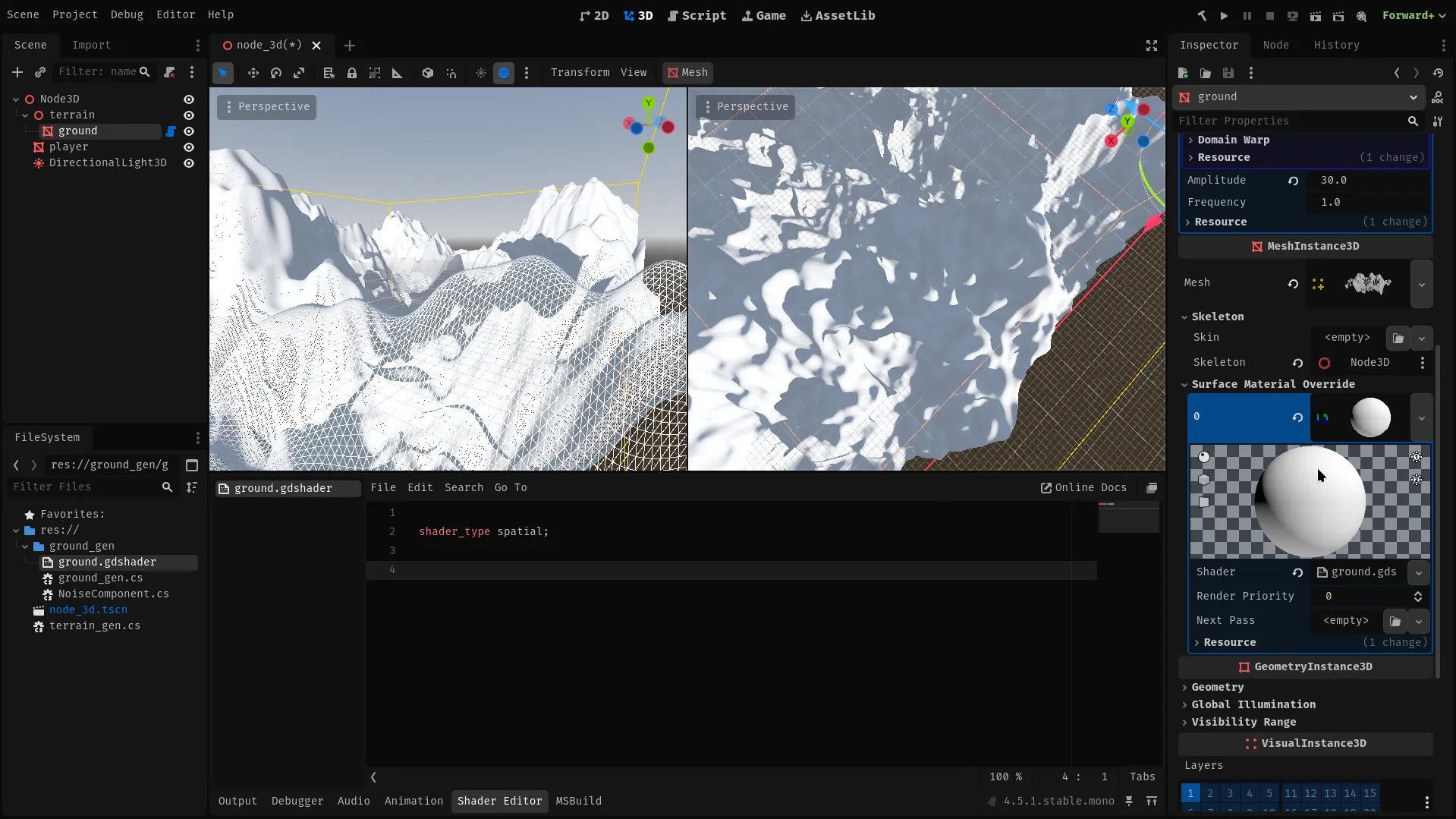
For test I will write a simple shader that will set all ground color to one that we can select by hand in the editor.
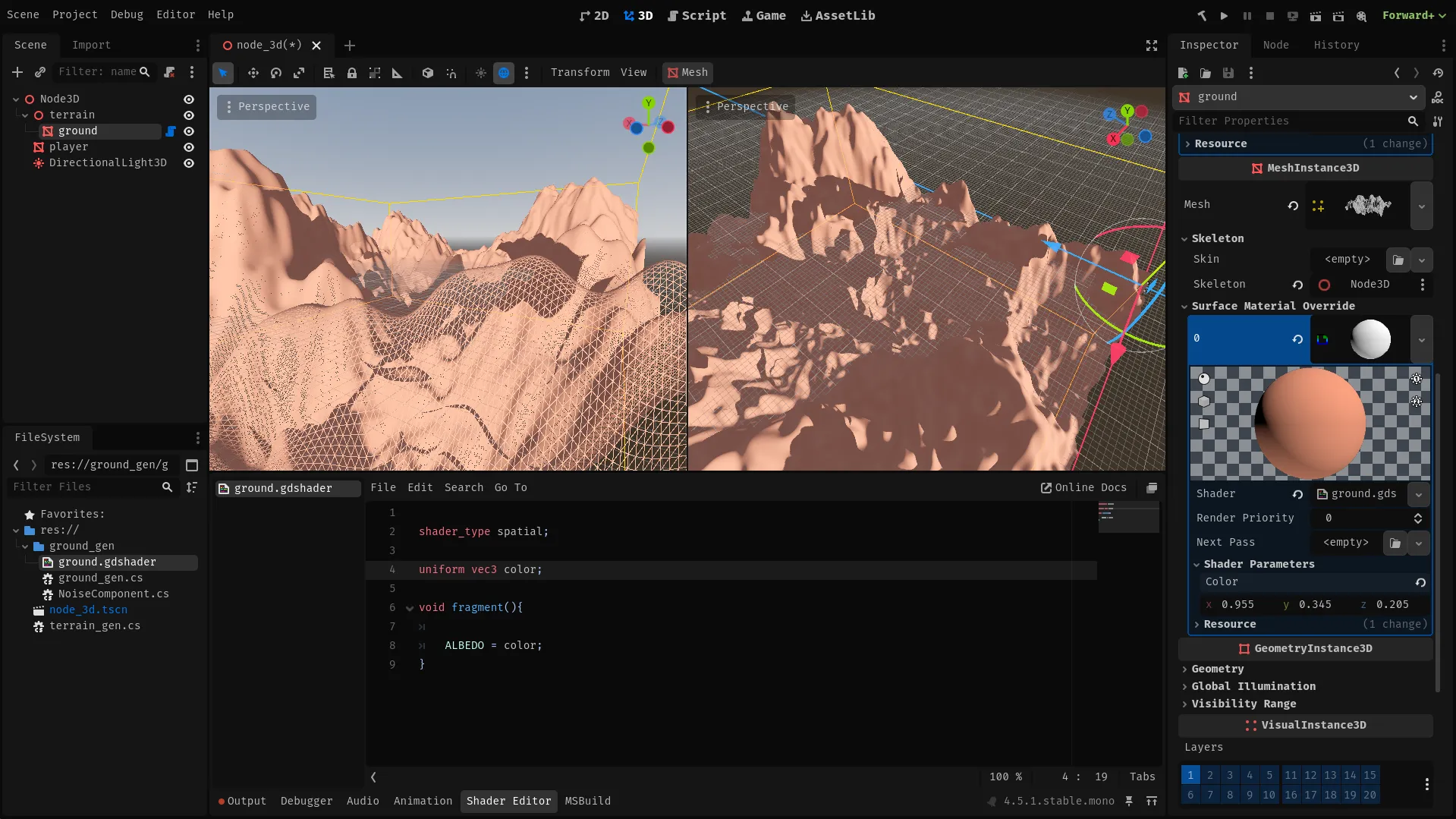
Shader
Section titled “Shader”Let’s start by reading biome map from a texture. Biome data will be split between a color channels on a 2 or more textures. This will allow for easy implementation of smooth transition between the biomes, and makes extending this system to allow more biomes as easy as using another texture. Using a separate textures for biome influence and biome type selection would allow for efficient usage of many biome types, but would require a high resolution of input textures and would make implementation a lot harder.
Example
Section titled “Example”- Texture1, Red: Dessert texture influence.
- Texture1, Blue: High mountain texture influence. …
- Texture2, Red: Forest texture influence. …
- Texture2, Alpha: texture influence.
uniform sampler2D map_1;uniform sampler2D map_2;void fragment(){vec4 biome_types = texture(biome_type_map,UV);vec4 biome_influences = texture(biome_influence_map,UV);}Next we will need to calculate world position and normals, this will be needed for Triplanar mapping - technique that will allow for smooth textures and drawing rock textures on slopes. Also I’ve added ‘adjusted_normal’ variable for normal map that will give better results for triplanar mapping.
void fragment(){ vec3 world_pos = (INV_VIEW_MATRIX * vec4(VERTEX, 1.0)).xyz; vec3 world_normal = normalize((INV_VIEW_MATRIX * vec4(NORMAL, 0.0)).xyz); vec3 adjusted_normal = pow(abs(world_normal), vec3(8.0));}To implement triplanar mapping we will use data that we’ve callculated, and a
rock texture. We will read texture 3 times so with apropriate weights for each
uv direction so that the texutres don’t get streached in one of the orientation
like in normal linear mapping. Also we need to apply some scaling so that we can
later modify scale of our textures. This is as easy as multiplying the uv
vector.
To Draw rock texture on the slopes we will replace the standard texture with the
rock texture for the faces that don’t face up - X and Z;
uniform float rock_saturation;uniform float rock_scale;uniform sampler2D rock_texture;vec3 triplanar (vec3 position, vec3 worldNormal,vec3 adjusted_normal, sampler2D sampler,float scale){  vec3 weights = adjusted_normal / (adjusted_normal.x + adjusted_normal.y + adjusted_normal.z) * 3.0;
  vec2 uv_x = position.zy;  vec2 uv_y = position.xz;  vec2 uv_z = position.xy;
  vec3 color = vec3(0,0,0);  if (weights.x > 0.01){    color += texture(rock_texture, uv_x * rock_scale).rgb * weights.x  * rock_saturation;  }  if (weights.y > 0.01){    color += texture(sampler, uv_y * scale).rgb * weights.y;  }  if (weights.z > 0.01){    color += texture(rock_texture, uv_z * rock_scale).rgb * weights.z  * rock_saturation;  }
  return color / 3.0;}
Now we need a function that will actually utilize this. It will be adding calculated color to the input color. We will be sampling texture of ground on a specified biome, using the Triplanar function, than applying some basic processing and adding it onto the input color with specified influence.
const int BIOMES_COUNT = 8;uniform vec3[BIOMES_COUNT] texture_tint;uniform float[BIOMES_COUNT] texture_saturation;uniform float[BIOMES_COUNT] texture_scale;uniform sampler2D[BIOMES_COUNT] biome_textures;
vec3 handle_biome_color(vec3 input_color, float type_float, float influence, vec3 position, vec3 worldNormal, vec3 adjusted_normal){  int type = int(type_float * 255.0);
  if (type == 0){  return input_color;  }
  int biome = type - 1;  vec3 texture_color = triplanar(position, worldNormal, adjusted_normal, biome_textures[biome], texture_scale[biome]);  vec3 biome_color = (texture_color + texture_tint[biome] - vec3(1) * texture_saturation[biome]) * influence;
  return input_color + biome_color;}
now let’s combine all of the things that we wrote. We will call the
handle_biome_color function for each biome type input color, and collect their
output.
Then set the output color as albedo and apply some basic processing to get the
final output.
uniform float global_brightness;uniform float global_saturation;void fragment(){  vec3 world_pos = (INV_VIEW_MATRIX * vec4(VERTEX, 1.0)).xyz;  vec3 world_normal = normalize((INV_VIEW_MATRIX * vec4(NORMAL, 0.0)).xyz);  vec3 adjusted_normal = pow(abs(world_normal), vec3(8.0));
  vec4 biome_types = texture(biome_type_map,UV);  vec4 biome_influences = texture(biome_influence_map,UV);
  vec4 color_1 = texture(map_1,UV);  vec4 color_2 = texture(map_2,UV);
  vec3 output_color = vec3(0,0,0);  output_color = handle_biome_color(output_color, 0, color_1.r, world_pos, world_normal, adjusted_normal);  output_color = handle_biome_color(output_color, 1, color_1.g, world_pos, world_normal, adjusted_normal);  output_color = handle_biome_color(output_color, 2, color_1.b, world_pos, world_normal, adjusted_normal);  output_color = handle_biome_color(output_color, 3, color_1.a, world_pos, world_normal, adjusted_normal);  output_color = handle_biome_color(output_color, 4, color_2.r, world_pos, world_normal, adjusted_normal);  output_color = handle_biome_color(output_color, 5, color_2.g, world_pos, world_normal, adjusted_normal);  output_color = handle_biome_color(output_color, 6, color_2.b, world_pos, world_normal, adjusted_normal);  output_color = handle_biome_color(output_color, 7, color_2.a, world_pos, world_normal, adjusted_normal);  ALBEDO =output_color;
  ALBEDO *= global_brightness;  ALBEDO -= vec3(1) * global_saturation;}
Testing this shader
Section titled “Testing this shader”We don’t yet have a way to generate biome data textures, so we will need to improvise. In the editor we will just use a simple gradient texture with each one of the RGBA colors representing influence of one of the biomes.
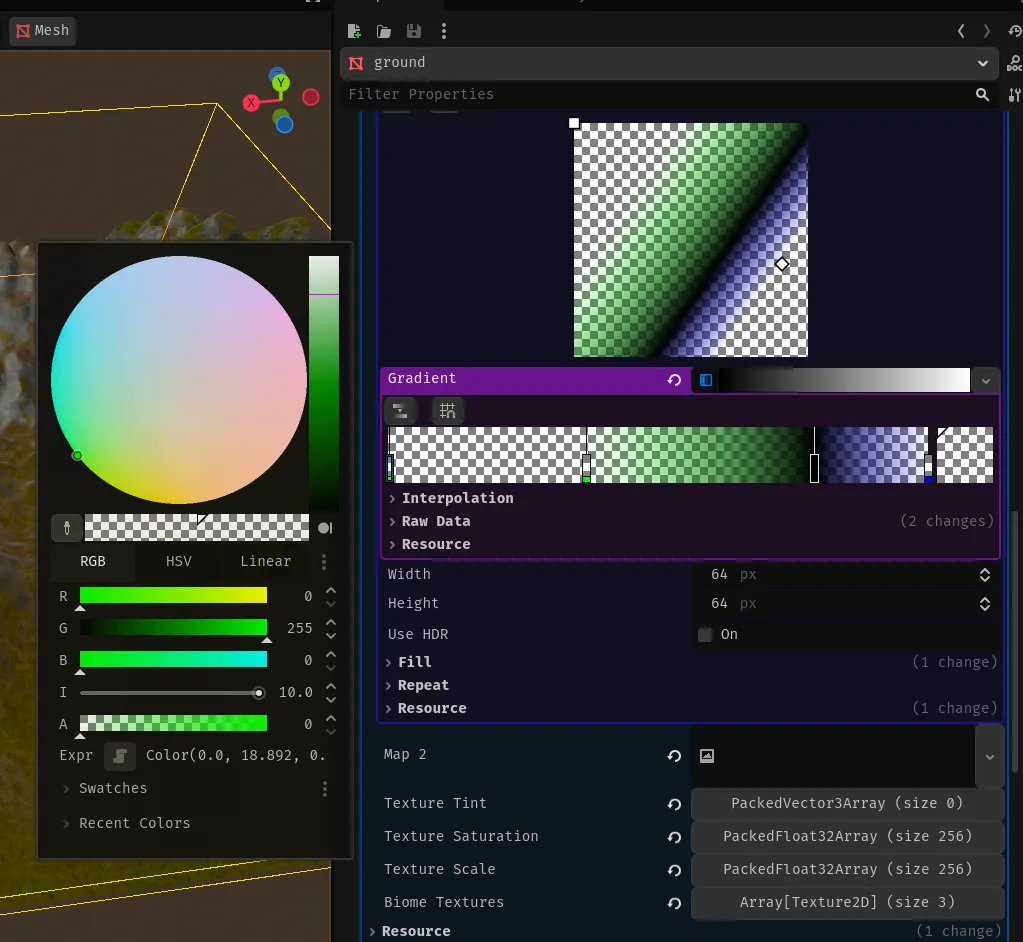
Next we need to set the textures - set 4 first texture slots in the Textures field and remember to set the rock texture.
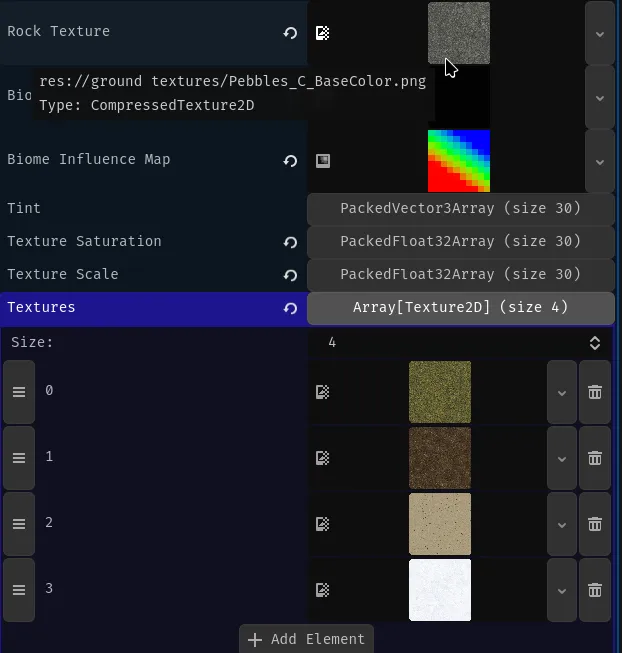
The last thing we need to do is to set the global and biome texture specific: Saturation, tint and scale. You need to chose them by experimentation, because different values will look good for different textures, but for me those values worked best:
Global brightness: 0.6 Global saturation: 0.0 Rock saturation: 0.5 Rock scale: 0.4
Tint: all textures to black - no tint Texture saturation: 0.1 -> 0.3 Texture scale: 0.2 -> 0.8
Result: 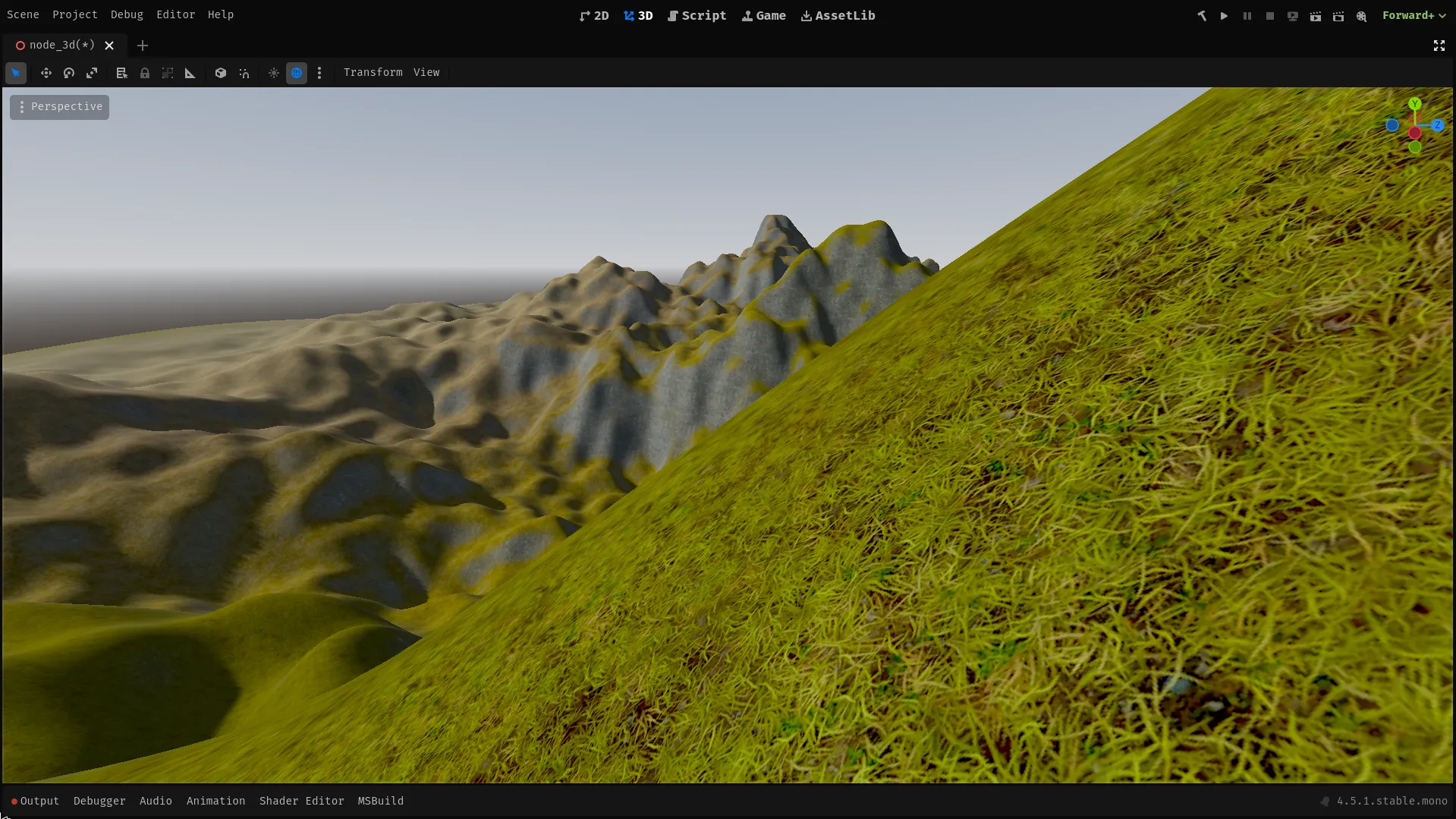
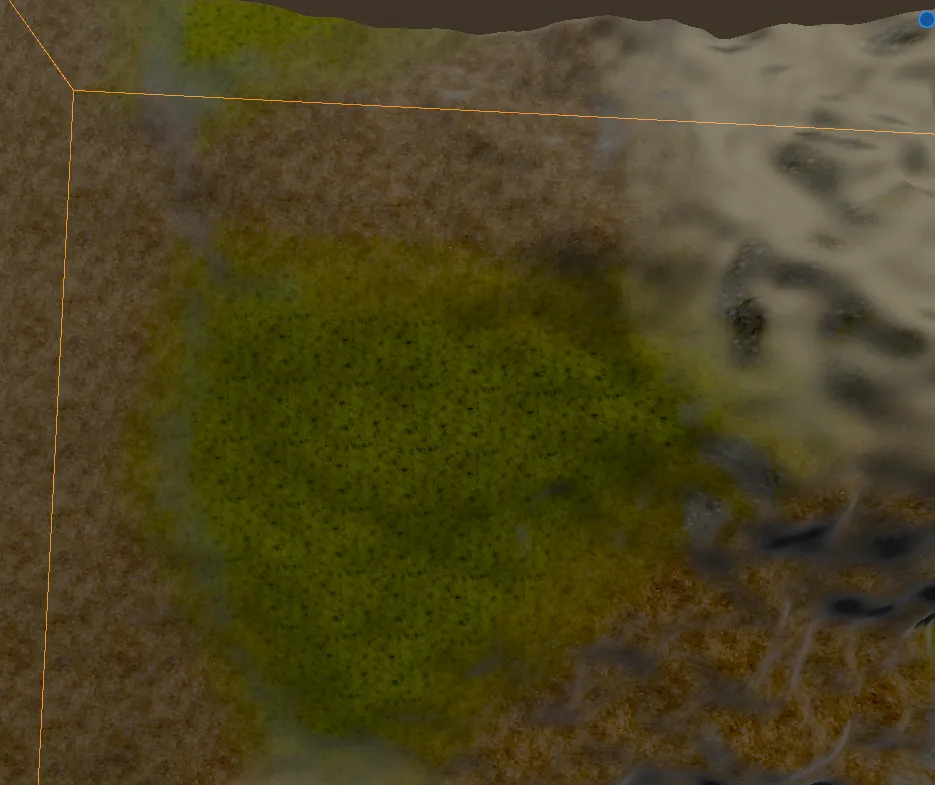
The terrain looks nice, but we can easily see repetition on some of the textures, and the transitions between the biomes don’t tool real enough.
Adding noise
Section titled “Adding noise”Adding some simple noise will make our terrain look more random - like real life terrain. So we will add it to:
- Texture color- Multiply the output color by a tiny bit to make the textures just a tiny bit more interesting.
uniform sampler2D noise;
void fragment(){  ALBEDO *= mix(0.9, 1.1, texture(noise,UV).r);  METALLIC = 0.0;}
The change is that simple, but it will make a HUGE difference.
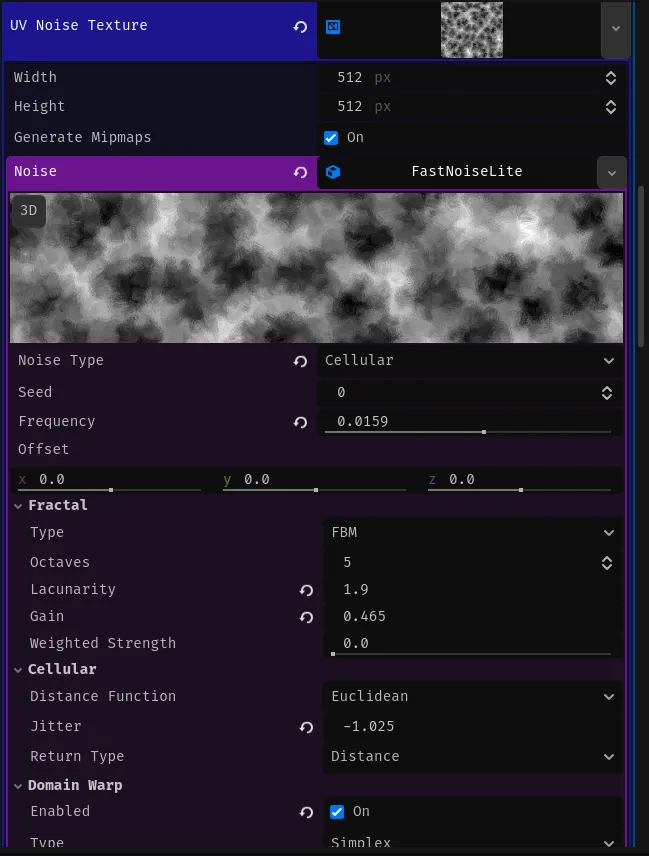
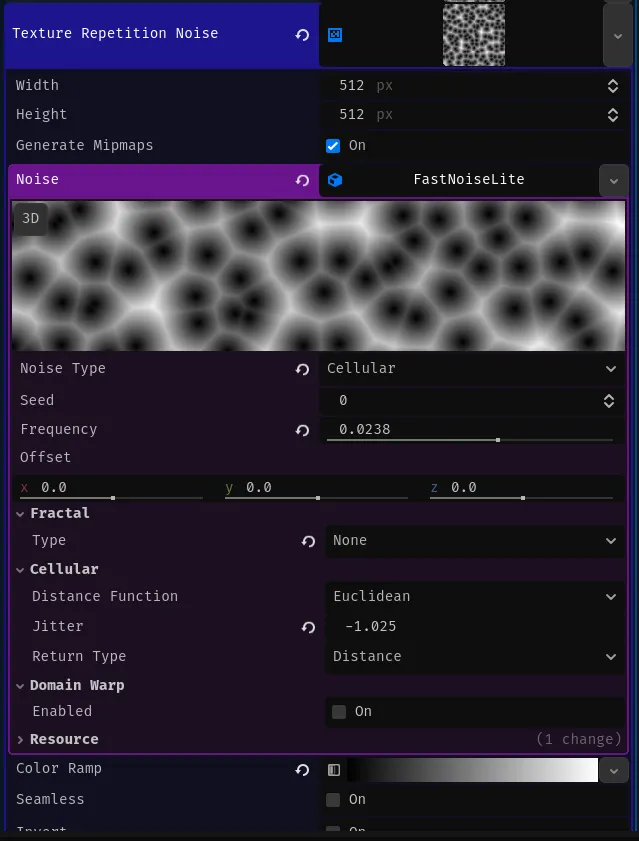
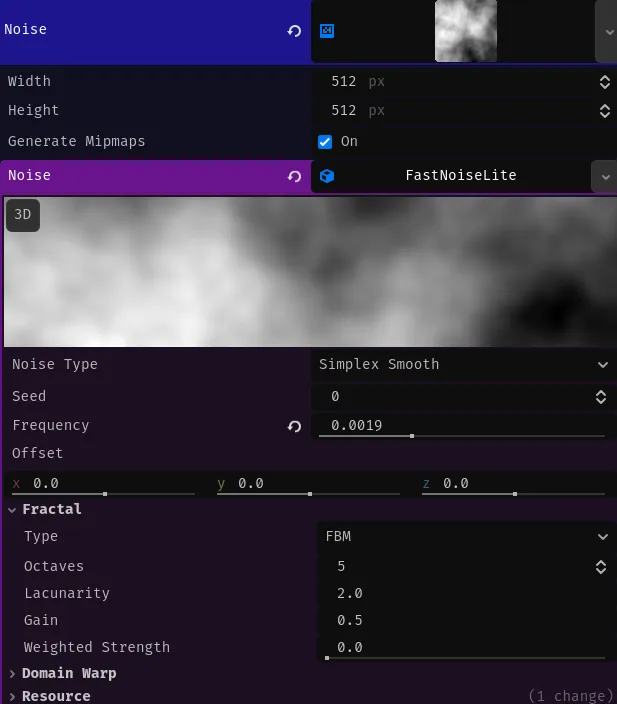
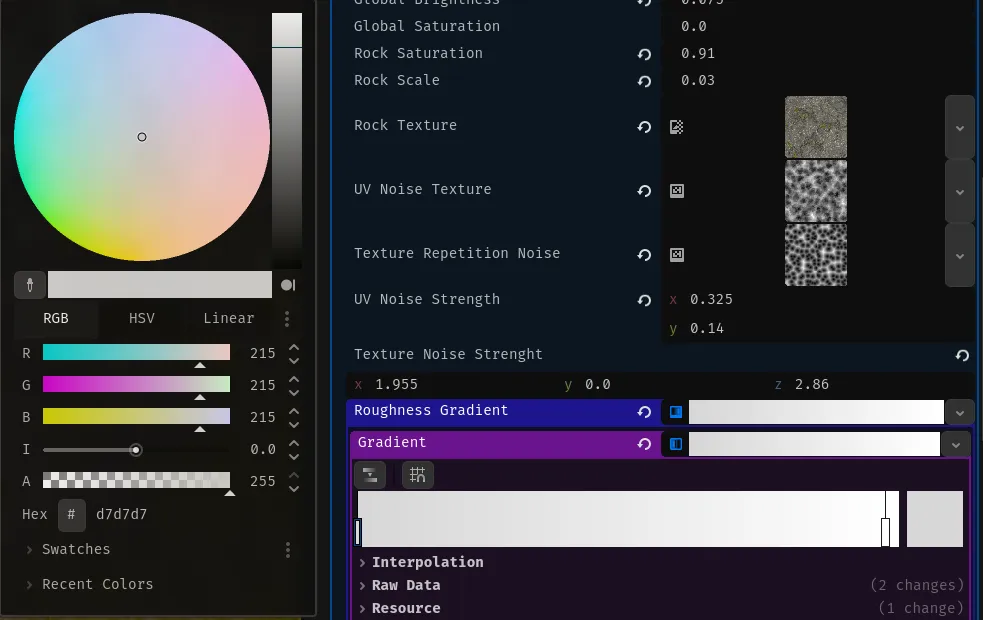
I have used Vornoi diagram like noise for both the texture and uv noise, because it seamed to give the best results, but feel free to experiment, with noise types, yourself.
Results
Section titled “Results”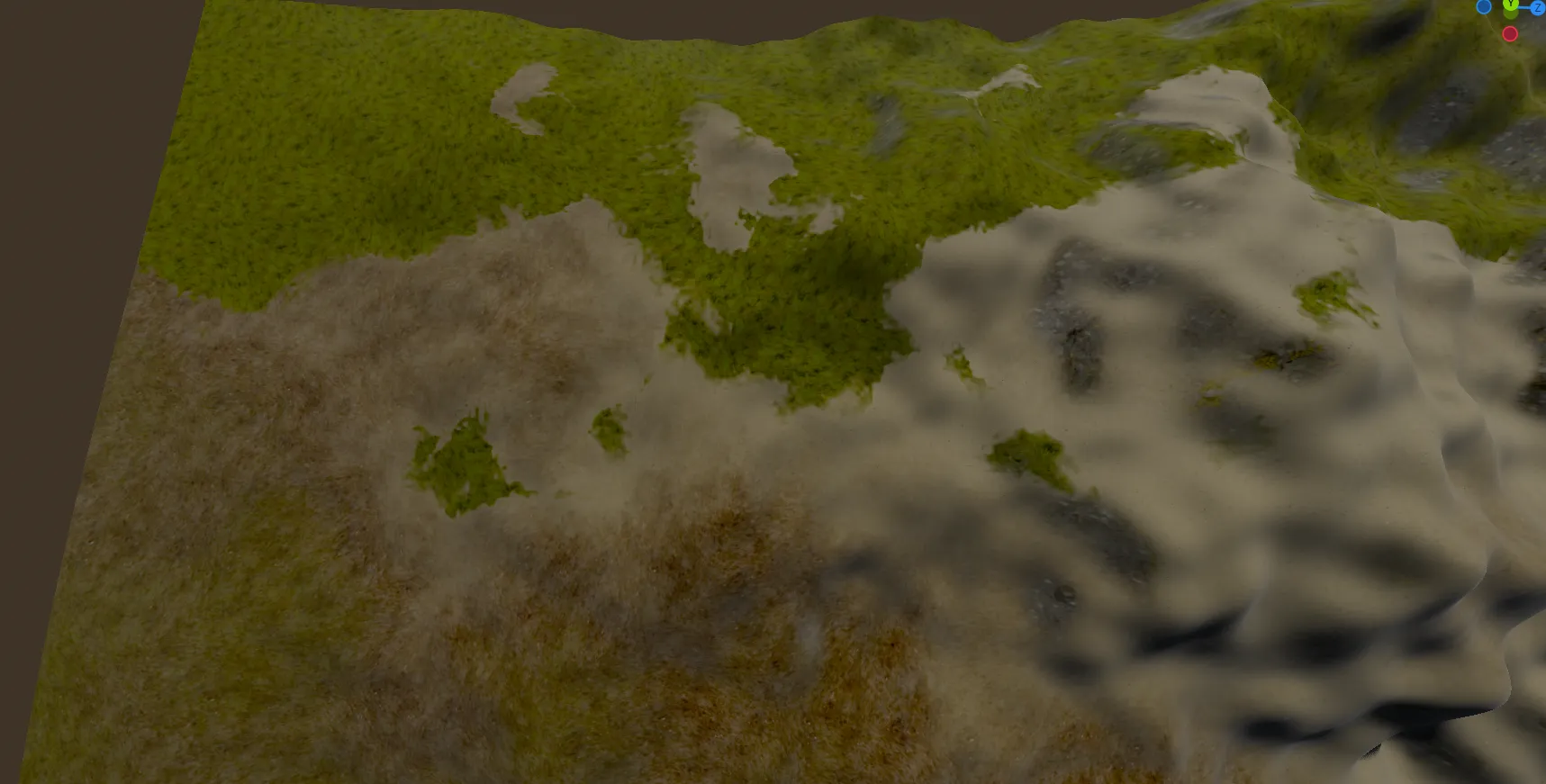
Fixing problems with the current implementation
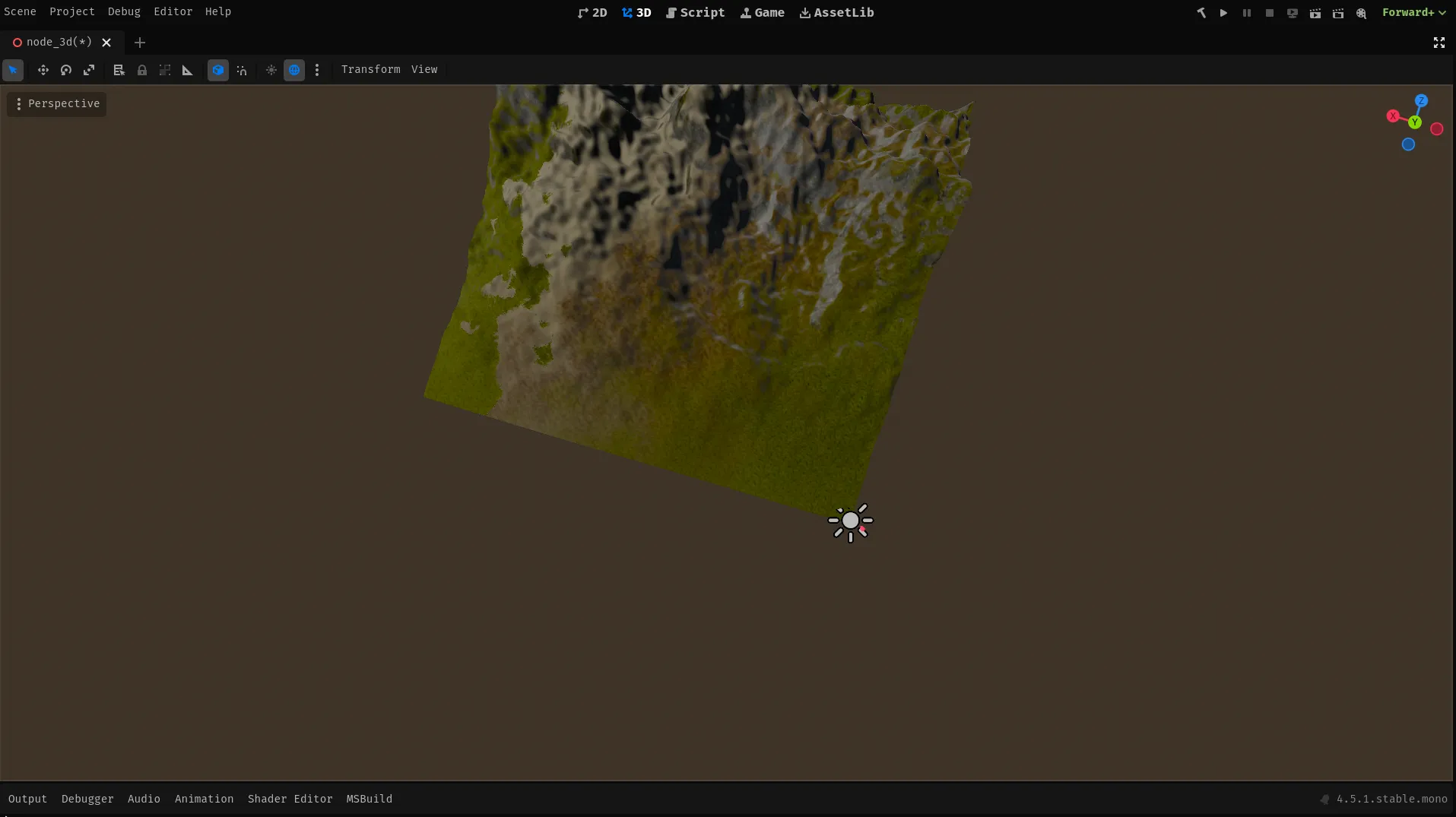
Section titled “Fixing problems with the current implementation”The current implementation looks really good, but it doesn’t have that AAA quality that we are looking for. It mainly lacks normal maps, we can easily see texture repetition.
Fixing lack of normal textures and texture repetition
Section titled “Fixing lack of normal textures and texture repetition”Les’s discus how we are going to fix texture repetition. There are many options to accomplish this but they all have many problems. But in my opinion the best way by far, to do this is to use something called stochastic sampling. I won’t go into details, in this tutorial so if you want to know how this works look at those resources: https://www.youtube.com/watch?v=yV4-MopMuMo https://eheitzresearch.wordpress.com/722-2/
Honestly implementing this right would take a lot of trial and error, but
thankfully there is a
vec2 hash( vec2 p ){  return fract( sin( p * mat2( vec2( 127.1, 311.7 ), vec2( 269.5, 183.3 ) ) ) * 43758.5453 );}
vec4 stochastic_sample(sampler2D tex, vec2 uv){  vec2 skewV = mat2(vec2(1.0,1.0),vec2(-0.57735027 , 1.15470054))*uv * 3.464;
  vec2 vxID = floor(skewV);  vec2 fracV = fract(skewV);  vec3 barry = vec3(fracV.x,fracV.y,1.0-fracV.x-fracV.y);
  mat4 bw_vx = barry.z>0.0?    mat4(vec4(vxID,0.0,0.0),vec4((vxID+vec2(0.0,1.0)),0.0,0.0),vec4(vxID+vec2(1.0,0.0),0,0),vec4(barry.zyx,0)):    mat4(vec4(vxID+vec2(1.0,1.0),0.0,0.0),vec4((vxID+vec2(1.0,0.0)),0.0,0.0),vec4(vxID+vec2(0.0,1.0),0,0),vec4(-barry.z,1.0-barry.y,1.0-barry.x,0));
  vec2 ddx = dFdx(uv);  vec2 ddy = dFdy(uv);
  return (textureGrad(tex,uv+hash(bw_vx[0].xy),ddx,ddy)*bw_vx[3].x) +  (textureGrad(tex,uv+hash(bw_vx[1].xy),ddx,ddy)*bw_vx[3].y) +  (textureGrad(tex,uv+hash(bw_vx[2].xy),ddx,ddy)*bw_vx[3].z)  ;
}
Now we will need to make this code work for multiple textures at once for the efficiency sake, and than use it in our code. So first we need to create a nice data structure that will hold needed data for using normal map, albedo and additionally roughness textures, from biomes.
struct NormalAlbedoRoughness{ vec3 normal; vec3 albedo; vec3 roughness;};Next we modify this code so that it does literally the same thing but we take the end, return part and we copy it three times and for three different textures and than put it all into our new struct.
// Taken from the https://github.com/acegiak/Godot4TerrainShader/blob/main/addons/terrain-shader/StochasticTexture.gdshader.//  Under the Apache license https://github.com/acegiak/Godot4TerrainShader/tree/main?tab=Apache-2.0-1-ov-file#readme// Modified so that it works with multiple textures. '-'
// 3 birds with one stoneNormalAlbedoRoughness triple_stochastic_sample(sampler2D normal_texture,sampler2D albedo_texture,sampler2D roughness_texture, vec2 uv){  vec2 skewV = mat2(vec2(1.0,1.0),vec2(-0.57735027 , 1.15470054))*uv * 3.464;
  vec2 vxID = floor(skewV);  vec2 fracV = fract(skewV);  vec3 barry = vec3(fracV.x,fracV.y,1.0-fracV.x-fracV.y);
  mat4 bw_vx = barry.z>0.0?    mat4(vec4(vxID,0.0,0.0),vec4((vxID+vec2(0.0,1.0)),0.0,0.0),vec4(vxID+vec2(1.0,0.0),0,0),vec4(barry.zyx,0)):    mat4(vec4(vxID+vec2(1.0,1.0),0.0,0.0),vec4((vxID+vec2(1.0,0.0)),0.0,0.0),vec4(vxID+vec2(0.0,1.0),0,0),vec4(-barry.z,1.0-barry.y,1.0-barry.x,0));
  vec2 ddx = dFdx(uv);  vec2 ddy = dFdy(uv);

  vec2 uv_x = uv+hash(bw_vx[0].xy);  vec2 uv_y = uv+hash(bw_vx[1].xy);  vec2 uv_z = uv+hash(bw_vx[2].xy);
  vec4 normal = (textureGrad(normal_texture,uv_x,ddx,ddy)*bw_vx[3].x) +  (textureGrad(normal_texture,uv_y,ddx,ddy)*bw_vx[3].y) +  (textureGrad(normal_texture,uv_z,ddx,ddy)*bw_vx[3].z);
  vec4 albedo = (textureGrad(albedo_texture,uv_x,ddx,ddy)*bw_vx[3].x) +  (textureGrad(albedo_texture,uv_y,ddx,ddy)*bw_vx[3].y) +  (textureGrad(albedo_texture,uv_z,ddx,ddy)*bw_vx[3].z);
  vec4 roughness = (textureGrad(roughness_texture,uv_x,ddx,ddy)*bw_vx[3].x) +  (textureGrad(roughness_texture,uv_y,ddx,ddy)*bw_vx[3].y) +  (textureGrad(roughness_texture,uv_z,ddx,ddy)*bw_vx[3].z);
  return NormalAlbedoRoughness(normal.xyz,albedo.xyz,roughness.xyz);}
Than we need to modify our triplanar sampling function so that it also works
with 3 textures, but this time instead of using normal texture(sampler2D,x,y)
function, we will use the triple_stochastic_sample().
NormalAlbedoRoughness triple_stochastic_triplanar (vec3 position, vec3 worldNormal, vec3 adjusted_normal, float biome_scale, sampler2D biome_normal_map, sampler2D biome_texture, sampler2D biome_roughness){  vec3 weights = adjusted_normal / (adjusted_normal.x + adjusted_normal.y + adjusted_normal.z) * 3.0;
  vec2 uv_x = position.zy;  vec2 uv_y = position.xz;  vec2 uv_z = position.xy;
  NormalAlbedoRoughness output = NormalAlbedoRoughness(vec3(0), vec3(0), vec3(0));  NormalAlbedoRoughness partial;  if (weights.x > 0.01){    partial = triple_stochastic_sample(rock_normal_map, rock_texture, rock_roughness, uv_x * rock_scale);    output.normal += partial.normal * weights.x;    output.albedo += partial.albedo * rock_saturation * weights.x;    output.roughness += partial.roughness * weights.x;  }  if (weights.y > 0.01){    partial = triple_stochastic_sample(biome_normal_map, biome_texture, biome_roughness, uv_y * biome_scale);    output.normal += partial.normal * weights.y;    output.albedo += partial.albedo * rock_saturation * weights.y;    output.roughness += partial.roughness * weights.y;  }  if (weights.z > 0.01){    partial = triple_stochastic_sample(rock_normal_map, rock_texture, rock_roughness, uv_z * rock_scale);    output.normal += partial.normal * weights.z;    output.albedo += partial.albedo * rock_saturation * weights.z;    output.roughness += partial.roughness * weights.z;  }
  return output;}
Later we need to change rest of the code to use our new functions, so that they utilize the code that we’ve written. I’ve split the sampling data form multiple biomes and combining it to get the final result, into 2 separate functions so that the main function is a bit cleaner.
void handle_biome(int biome, float influence, vec3 position, vec3 worldNormal, vec3 adjusted_normal, inout vec3 output_color, inout vec3 output_normal, inout vec3 output_roughness){  if (influence < 0.01){    return ;  }
  NormalAlbedoRoughness output = triple_stochastic_triplanar(position, worldNormal, adjusted_normal, texture_scale[biome],biome_normal_textures[biome], biome_albedo_textures[biome],biome_roughness_textures[biome]);
  output_color += (output.albedo + texture_tint[biome] - vec3(1) * texture_saturation[biome]) * influence;  output_normal += output.normal * influence;  output_roughness += output.roughness * influence;}NormalAlbedoRoughness collect_biome_data(vec4 biome_data_1, vec4 biome_data_2,vec3 world_pos, vec3 world_normal, vec3 adjusted_normal){  vec3 output_color = vec3(0, 0, 0);  vec3 output_normal = vec3(0, 0, 0);  vec3 output_roughness = vec3(0, 0, 0);
  handle_biome(0, biome_data_1.r, world_pos, world_normal, adjusted_normal, output_color, output_normal, output_roughness);  handle_biome(1, biome_data_1.g, world_pos, world_normal, adjusted_normal, output_color, output_normal, output_roughness);  handle_biome(2, biome_data_1.b, world_pos, world_normal, adjusted_normal, output_color, output_normal, output_roughness);  handle_biome(3, biome_data_1.a, world_pos, world_normal, adjusted_normal, output_color, output_normal, output_roughness);  handle_biome(4, biome_data_2.r, world_pos, world_normal, adjusted_normal, output_color, output_normal, output_roughness);  handle_biome(5, biome_data_2.g, world_pos, world_normal, adjusted_normal, output_color, output_normal, output_roughness);  handle_biome(6, biome_data_2.b, world_pos, world_normal, adjusted_normal, output_color, output_normal, output_roughness);  handle_biome(7, biome_data_2.a, world_pos, world_normal, adjusted_normal, output_color, output_normal, output_roughness);
  return NormalAlbedoRoughness(output_normal, output_color, output_roughness);}
And now we just call it with appropriate data and than we utilize the output from it.
...uniform sampler2D[BIOMES_COUNT] biome_albedo_textures;uniform sampler2D[BIOMES_COUNT] biome_normal_textures;uniform sampler2D[BIOMES_COUNT] biome_roughness_textures;...
void fragment(){
...  vec4 biome_data_1 = texture(map_1[chunk_data_map_index],noisy_uv);  vec4 biome_data_2 = texture(map_2[chunk_data_map_index],noisy_uv);  NormalAlbedoRoughness output = collect_biome_data(biome_data_1, biome_data_2, world_pos, world_normal, adjusted_normal);  ALBEDO = output.albedo;  NORMAL_MAP = output.normal;  ROUGHNESS  = output.roughness.r;...
}
Final results
Section titled “Final results”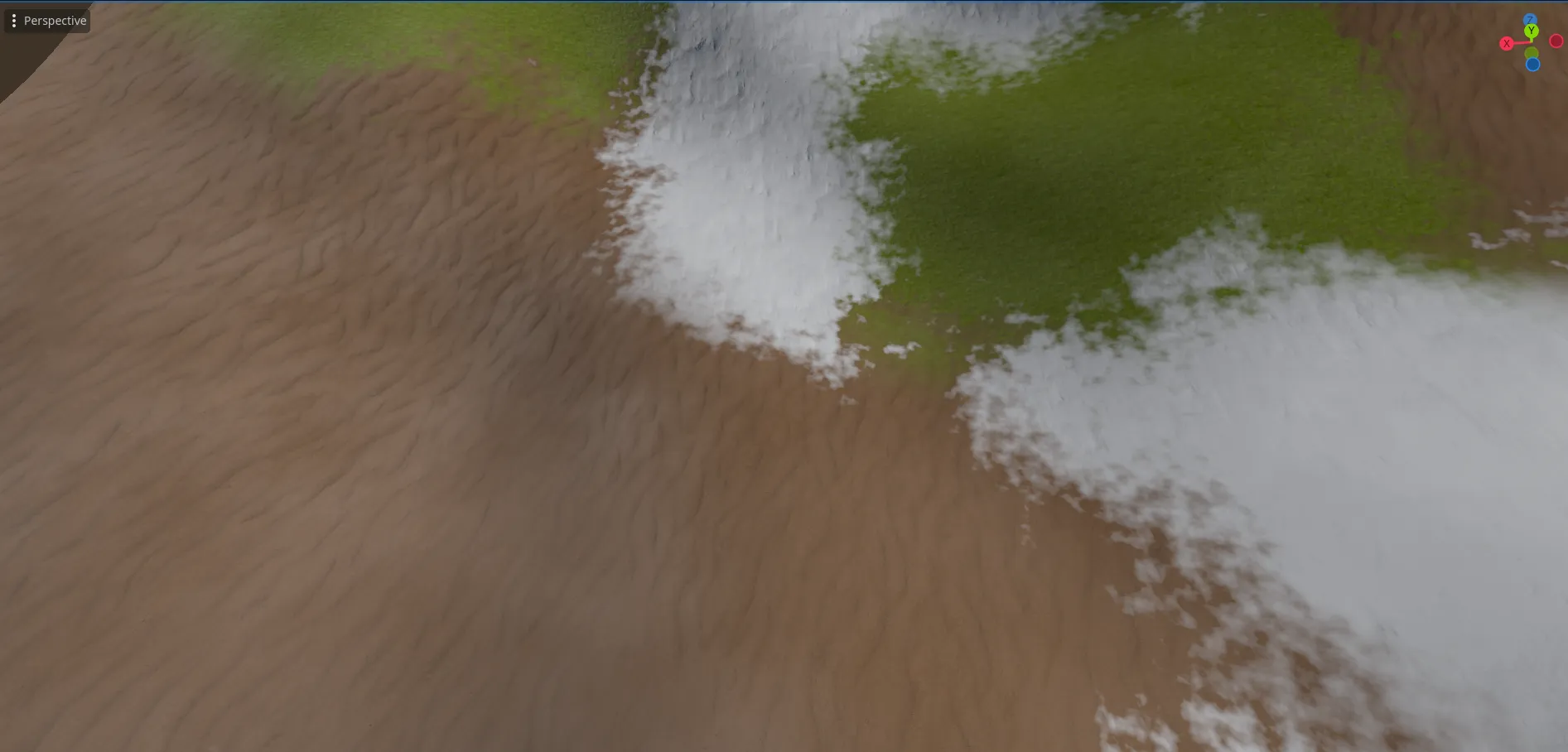
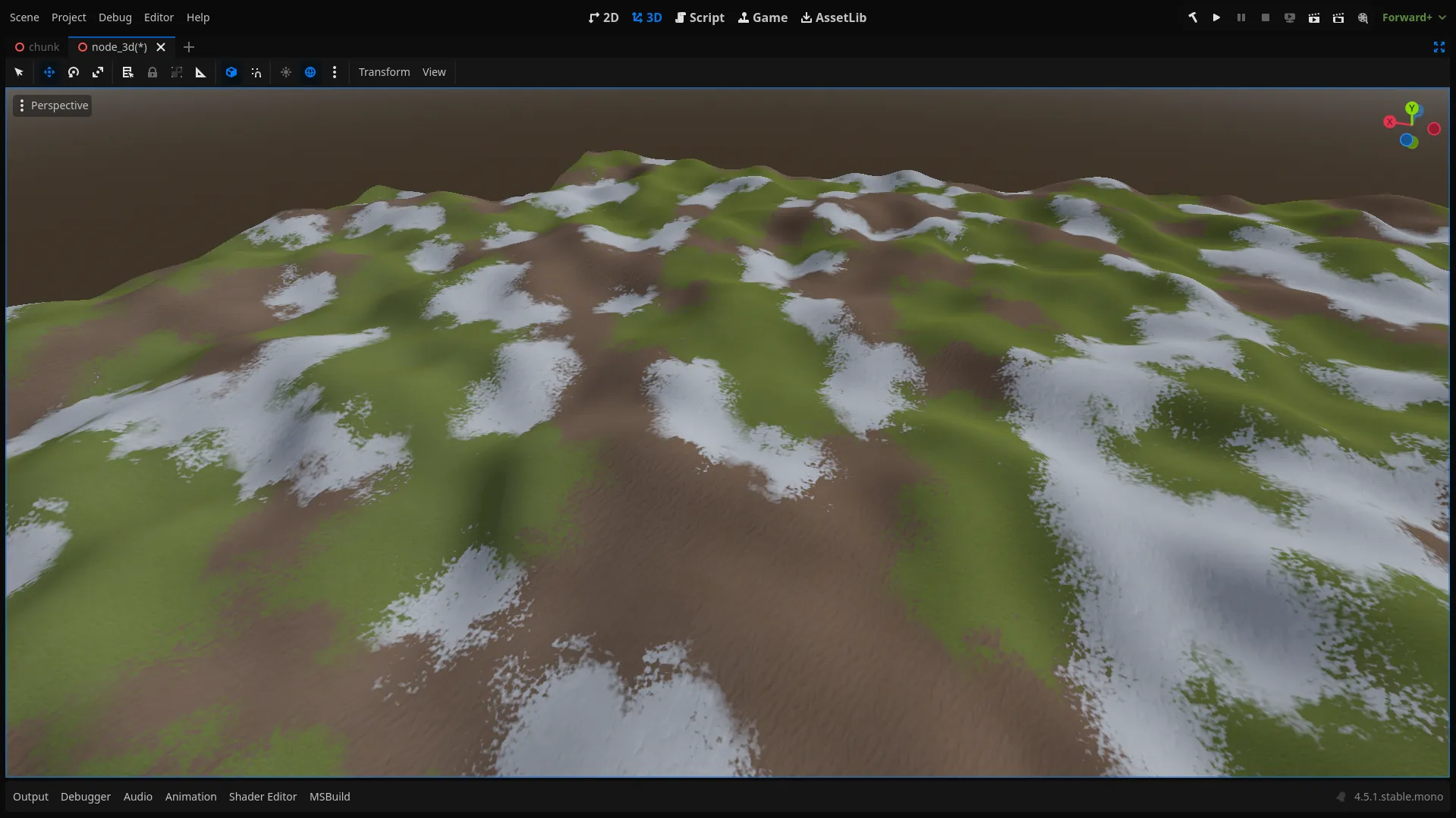
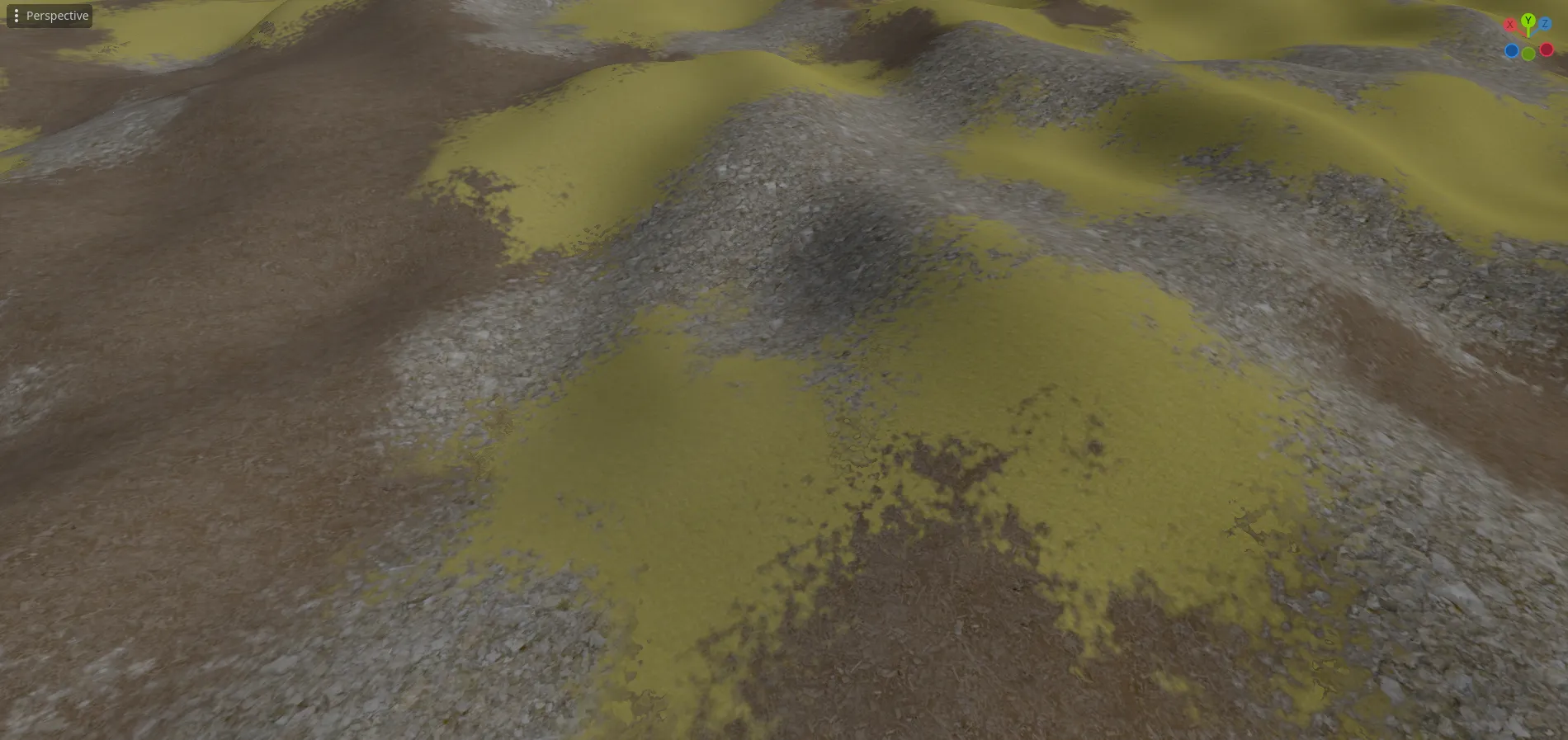
And in the end we should have something like this:
shader_type spatial;
struct NormalAlbedoRoughness{  vec3 normal;  vec3 albedo;  vec3 roughness;};

//  Under the appache license https://github.com/acegiak/Godot4TerrainShader/tree/main?tab=Apache-2.0-1-ov-file#readme// Taken from the https://github.com/acegiak/Godot4TerrainShader/blob/main/addons/terrain-shader/StochasticTexture.gdshader.// Modified so that it works with multiple textures. '-'vec2 hash( vec2 p ){  return fract( sin( p * mat2( vec2( 127.1, 311.7 ), vec2( 269.5, 183.3 ) ) ) * 43758.5453 );}// 3 birds with one stoneNormalAlbedoRoughness triple_stochastic_sample(sampler2D normal_texture,sampler2D albedo_texture,sampler2D roughness_texture, vec2 uv){  vec2 skewV = mat2(vec2(1.0,1.0),vec2(-0.57735027 , 1.15470054))*uv * 3.464;
  vec2 vxID = floor(skewV);  vec2 fracV = fract(skewV);  vec3 barry = vec3(fracV.x,fracV.y,1.0-fracV.x-fracV.y);
  mat4 bw_vx = barry.z>0.0?    mat4(vec4(vxID,0.0,0.0),vec4((vxID+vec2(0.0,1.0)),0.0,0.0),vec4(vxID+vec2(1.0,0.0),0,0),vec4(barry.zyx,0)):    mat4(vec4(vxID+vec2(1.0,1.0),0.0,0.0),vec4((vxID+vec2(1.0,0.0)),0.0,0.0),vec4(vxID+vec2(0.0,1.0),0,0),vec4(-barry.z,1.0-barry.y,1.0-barry.x,0));
  vec2 ddx = dFdx(uv);  vec2 ddy = dFdy(uv);

  vec2 uv_x = uv+hash(bw_vx[0].xy);  vec2 uv_y = uv+hash(bw_vx[1].xy);  vec2 uv_z = uv+hash(bw_vx[2].xy);
  vec4 normal = (textureGrad(normal_texture,uv_x,ddx,ddy)*bw_vx[3].x) +  (textureGrad(normal_texture,uv_y,ddx,ddy)*bw_vx[3].y) +  (textureGrad(normal_texture,uv_z,ddx,ddy)*bw_vx[3].z);
  vec4 albedo = (textureGrad(albedo_texture,uv_x,ddx,ddy)*bw_vx[3].x) +  (textureGrad(albedo_texture,uv_y,ddx,ddy)*bw_vx[3].y) +  (textureGrad(albedo_texture,uv_z,ddx,ddy)*bw_vx[3].z);
  vec4 roughness = (textureGrad(roughness_texture,uv_x,ddx,ddy)*bw_vx[3].x) +  (textureGrad(roughness_texture,uv_y,ddx,ddy)*bw_vx[3].y) +  (textureGrad(roughness_texture,uv_z,ddx,ddy)*bw_vx[3].z);
  return NormalAlbedoRoughness(normal.xyz,albedo.xyz,roughness.xyz);
}// Rest is written by me, *FR*.

const int BIOMES_COUNT = 8;
uniform float global_brightness;uniform float global_saturation;
uniform float rock_saturation;uniform float rock_scale;uniform sampler2D rock_texture;uniform sampler2D rock_normal_map;uniform sampler2D rock_roughness;

const int chunk_data_maps_count = 100;instance uniform int chunk_data_map_index;// repeat is disabled, so that the data from one end of the chunk doesn't influence data form the other end of the chunkuniform sampler2D[chunk_data_maps_count] map_1:repeat_disable;uniform sampler2D[chunk_data_maps_count] map_2:repeat_disable;
uniform vec3[BIOMES_COUNT] texture_tint;uniform float[BIOMES_COUNT] texture_saturation;uniform float[BIOMES_COUNT] texture_scale;uniform sampler2D[BIOMES_COUNT] biome_albedo_textures;uniform sampler2D[BIOMES_COUNT] biome_normal_textures;uniform sampler2D[BIOMES_COUNT] biome_roughness_textures;
uniform sampler2D other_noise;uniform float metallic;uniform float spectacular;uniform float other_noise_scale;

NormalAlbedoRoughness triple_stochastic_triplanar (vec3 position, vec3 worldNormal, vec3 adjusted_normal, float biome_scale, sampler2D biome_normal_map, sampler2D biome_texture, sampler2D biome_roughness){  vec3 weights = adjusted_normal / (adjusted_normal.x + adjusted_normal.y + adjusted_normal.z) * 3.0;
  vec2 uv_x = position.zy;  vec2 uv_y = position.xz;  vec2 uv_z = position.xy;
  NormalAlbedoRoughness output = NormalAlbedoRoughness(vec3(0), vec3(0), vec3(0));  NormalAlbedoRoughness partial;  if (weights.x > 0.01){    partial = triple_stochastic_sample(rock_normal_map, rock_texture, rock_roughness, uv_x * rock_scale);    output.normal += partial.normal * weights.x;    output.albedo += partial.albedo * rock_saturation * weights.x;    output.roughness += partial.roughness * weights.x;  }  if (weights.y > 0.01){    partial = triple_stochastic_sample(biome_normal_map, biome_texture, biome_roughness, uv_y * biome_scale);    output.normal += partial.normal * weights.y;    output.albedo += partial.albedo * rock_saturation * weights.y;    output.roughness += partial.roughness * weights.y;  }  if (weights.z > 0.01){    partial = triple_stochastic_sample(rock_normal_map, rock_texture, rock_roughness, uv_z * rock_scale);    output.normal += partial.normal * weights.z;    output.albedo += partial.albedo * rock_saturation * weights.z;    output.roughness += partial.roughness * weights.z;  }
  return output;}
void handle_biome(int biome, float influence, vec3 position, vec3 worldNormal, vec3 adjusted_normal, inout vec3 output_color, inout vec3 output_normal, inout vec3 output_roughness){  if (influence < 0.01){    return ;  }
  NormalAlbedoRoughness output = triple_stochastic_triplanar(position, worldNormal, adjusted_normal, texture_scale[biome],biome_normal_textures[biome], biome_albedo_textures[biome],biome_roughness_textures[biome]);
  output_color += (output.albedo + texture_tint[biome] - vec3(1) * texture_saturation[biome]) * influence;  output_normal += output.normal * influence;  output_roughness += output.roughness * influence;}
NormalAlbedoRoughness collect_biome_data(vec4 biome_data_1, vec4 biome_data_2,vec3 world_pos, vec3 world_normal, vec3 adjusted_normal){  vec3 output_color = vec3(0, 0, 0);  vec3 output_normal = vec3(0, 0, 0);  vec3 output_roughness = vec3(0, 0, 0);
  handle_biome(0, biome_data_1.r, world_pos, world_normal, adjusted_normal, output_color, output_normal, output_roughness);  handle_biome(1, biome_data_1.g, world_pos, world_normal, adjusted_normal, output_color, output_normal, output_roughness);  handle_biome(2, biome_data_1.b, world_pos, world_normal, adjusted_normal, output_color, output_normal, output_roughness);  handle_biome(3, biome_data_1.a, world_pos, world_normal, adjusted_normal, output_color, output_normal, output_roughness);  handle_biome(4, biome_data_2.r, world_pos, world_normal, adjusted_normal, output_color, output_normal, output_roughness);  handle_biome(5, biome_data_2.g, world_pos, world_normal, adjusted_normal, output_color, output_normal, output_roughness);  handle_biome(6, biome_data_2.b, world_pos, world_normal, adjusted_normal, output_color, output_normal, output_roughness);  handle_biome(7, biome_data_2.a, world_pos, world_normal, adjusted_normal, output_color, output_normal, output_roughness);
  return NormalAlbedoRoughness(output_normal, output_color, output_roughness);}
void fragment(){  vec3 world_pos = (INV_VIEW_MATRIX * vec4(VERTEX, 1.0)).xyz;  vec3 world_normal = normalize((INV_VIEW_MATRIX * vec4(NORMAL, 0.0)).xyz);  vec3 adjusted_normal = pow(abs(world_normal), vec3(8.0));

  vec4 biome_data_1 = texture(map_1[chunk_data_map_index],UV);  vec4 biome_data_2 = texture(map_2[chunk_data_map_index],UV);  NormalAlbedoRoughness output = collect_biome_data(biome_data_1, biome_data_2, world_pos, world_normal, adjusted_normal);  ALBEDO = output.albedo;  NORMAL_MAP = output.normal;  ROUGHNESS  = output.roughness.r;

  //apply processing
  ALBEDO *= global_brightness;
  ALBEDO *= mix(0.8, 1.2, texture(other_noise, world_pos.xz*other_noise_scale).r);  ALBEDO -= vec3(1) * global_saturation;  METALLIC = texture(other_noise, world_pos.xz*other_noise_scale).r * metallic;  SPECULAR = texture(other_noise, world_pos.xz*other_noise_scale).r* spectacular;}